
Testing methodology
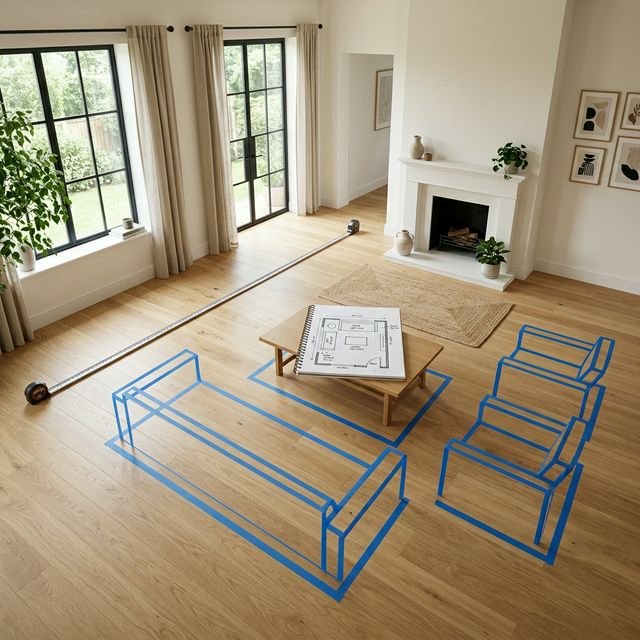
We used a single living room photo as the common reference for all four tests: a moderately furnished space with a sofa, rug, and coffee table, photographed in natural daylight at roughly 35mm equivalent focal length. The photo was uploaded directly to tools that support photo input. Planner 5D uses a floor-plan workflow instead, so the same room image served as the reference rather than a direct upload. The objective was kept as close as the different interfaces allowed: furnish or redesign this room in a contemporary, warm minimal style.
Where tools offered style presets, we selected the closest match. Where tools required product selection, we chose comparable items. The evaluation criteria were consistent across all four: output realism, spatial usefulness, how much effort the tool required, and (most importantly) how useful the output is for making an actual furniture purchase decision.
This is not a score-based ranking. The tools serve different purposes, and a score that compares them on identical criteria would be misleading. Instead, each tool receives an honest assessment and a recommended use case.
RoomGPT: fast style exploration
RoomGPT generates a redesigned version of a room from a photo using a style preset. The process is simple: upload a photo, choose a style (Scandinavian, Modern, Bohemian, and others), and receive a generated image within seconds.
What it did well: Speed and visual variety. Within a minute, RoomGPT produced several plausible interpretations of the same room in different aesthetic directions. The outputs were visually appealing enough to function as mood-board references.
Where it fell short: The generated furniture is not real. RoomGPT creates a stylistically coherent image, but the specific pieces in it do not exist in any catalog. You cannot identify what was placed, find it to buy, or verify that it would actually fit your room. The proportions are plausible but not accurate. Our assessment of what AI redesign tools can and cannot do examines this limitation in more detail.
Best for: Style direction. If you are unsure whether a Scandinavian aesthetic or a warmer eclectic look is right for your space, RoomGPT is genuinely useful for generating visual options quickly. It is not useful for making purchase decisions about specific products. Full write-up: RoomGPT review.
Free tier: Available with limited generations.
REimagineHome: comprehensive room redesign
REimagineHome takes a photo and applies a more thorough redesign (furniture, wall colour, flooring, and decorative objects), producing a composite that retains the room's architecture while replacing its contents.
What it did well: The outputs were more complete than RoomGPT's, with consistent styling across multiple elements rather than furniture alone. The tool's ability to swap flooring and wall colour alongside furniture gives a more holistic sense of what a full redesign would look like. It also retained the room's window positions and structural features more reliably.
Where it fell short: Like RoomGPT, the furniture shown is generated, not real. The redesign was aesthetically coherent but spatially speculative: clearances and traffic paths were not considered, and some generated configurations would not work in a real room. Outputs occasionally introduced furniture that was spatially implausible (a large armchair in a position that would block a door).
Best for: Planning a full refresh: when you are considering repainting, changing flooring, and refurnishing simultaneously, and need a visual reference for what different directions might look like before committing to any of them.
Free tier: Available with limited credits.
Planner 5D: layout and spatial planning
Planner 5D is categorically different from the other tools. Rather than applying AI to a photo, it is a floor plan editor with an AI auto-furnishing feature. You draw or import a room layout and either manually place furniture from a catalog or use the AI to suggest a furnished configuration.
What it did well: Spatial accuracy. Because you input the actual room dimensions and furniture is drawn to scale, the resulting plan is genuinely reliable for judging fit and clearance. The 3D view gives a reasonable sense of visual proportion. The manual control over placement is useful when the AI suggestion does not match your real constraints.
Where it fell short: It does not work from a photo. You need to build the room from scratch or from a floor plan. This requires more effort than the photo-upload tools, and the furniture catalog, while extensive, may not include the specific pieces you have already identified as candidates. The interface is more complex than the other tools and requires some time investment to use effectively.
Best for: Layout planning before you buy anything. If you are moving into a new space, doing a significant rearrangement, or want to experiment with different furniture configurations before purchasing, Planner 5D is the most rigorous tool in this comparison for spatial decisions. Use it alongside a measured room-layout plan.
Free tier: Available with access to a subset of the furniture catalog. Our full Planner 5D review covers the current 2026 plans, AI Studio, platform support, and the checks we recommend before relying on a layout.
DecorViz: product placement in your real room
DecorViz works from a photo of your actual room and a product image from any retailer. It composites the specific product into your room, matched to the photo's perspective and lighting. The output shows the real product in your real room, rather than a generated approximation.
What it did well: This is the only tool in the comparison that showed a product we could actually find and buy. The composite matched the room's lighting well and preserved the room's existing furniture, so the result was directly useful for assessing whether the candidate piece would work alongside what we already own. Running multiple candidates through the same room photo and comparing them was straightforward.
Where it fell short: It is a tool for a specific decision stage: when you have already identified one or more products and want to see how they look in your room. It does not help with style exploration or layout planning. The output quality depends on the quality of the product photo used as input.
Best for: The purchase decision stage. When you have two or three specific sofas, chairs, or tables shortlisted and want to see how each looks in your actual space before committing, this is the tool that produces directly actionable output. Read the full DecorViz review for a more detailed evaluation.
Free tier: Available.
Side-by-side comparison
| Criterion | RoomGPT | REimagineHome | Planner 5D | DecorViz |
|---|---|---|---|---|
| Works from a photo | ✓ | ✓ | ✗ (floor plan) | ✓ |
| Shows real, buyable products | ✗ | ✗ | Partially | ✓ |
| Spatially accurate | ✗ | Partially | ✓ | Partially |
| Style exploration | ✓ Excellent | ✓ Good | Limited | ✗ |
| Full room redesign | ✓ | ✓ | ✓ | ✗ |
| Layout and clearance planning | ✗ | ✗ | ✓ Excellent | ✗ |
| Effort required | Very low | Low | Medium–high | Low |
| Free to use | ✓ (limited) | ✓ (limited) | ✓ (limited) | ✓ (limited) |
| Best decision stage | Style direction | Full refresh planning | Layout planning | Product selection |
Which tool for which situation
Use RoomGPT if: You are not sure what style you want and want to generate visual options quickly to discover your direction. Think of it as a mood-board generator rather than a planning tool.
Use REimagineHome if: You are planning a significant room renovation (new paint, new flooring, new furniture) and want to see what different complete approaches might look like before committing to any one of them.
Use Planner 5D if: You are moving into a new space, or rearranging a room substantially, and need to understand layout, furniture fit, and clearances before buying anything. It requires more effort than the others but produces more spatially reliable output.
Use DecorViz if: You have specific products you are considering buying and want to see how each looks in your actual room (your walls, your lighting, your existing furniture) before placing an order.
The mistake most people make is using a style exploration tool (RoomGPT, REimagineHome) to try to make a product purchase decision. The generated furniture is not real and cannot be bought, so the output is useful for inspiration but not for confirmation. Similarly, using a product placement tool when you have not yet defined your style will not help you discover a direction.
Matching the tool to the question being asked is more valuable than choosing the visually best interface.