
Why they are popular right now
The appeal of AI room redesign tools is straightforward: you take a photo of your room, choose a style, and within seconds receive an image of what it could look like furnished differently. For most people, that is remarkable the first time they try it. It makes an abstract process (imagining your space looking different) suddenly concrete.
This has driven significant adoption. Tools like RoomGPT, REimagineHome, and Interior AI have attracted large user communities, while design discussions across Reddit, Pinterest, and TikTok regularly feature before-and-after outputs. The category has matured from a novelty to a legitimate part of how many people think about their homes.
The marketing around these tools has, predictably, outpaced their actual capabilities. Understanding the gap between the promise and the reality makes you a better user of the tools that do work.
What they genuinely do well
Style direction and exploration
The strongest genuine use case for AI redesign tools is helping you identify what aesthetic direction you want before you start shopping. If you are renovating a room and unsure whether you want warm minimalism, maximalist layering, Japandi restraint, or something mid-century, running your room through different style presets produces visual references in minutes that would otherwise require hours of scrolling through Pinterest boards and trying to hold things in your imagination.
This is most useful at the beginning of a project, before any money has been spent. The outputs are not actionable in the sense of telling you what to buy, but they are useful for making a stylistic decision you can then shop toward.
Colour palette testing
Several AI tools allow you to test different wall colours and broad colour schemes. This is genuinely useful because colour is the hardest design element to evaluate from a paint chip or a screen swatch. Seeing a specific colour applied to your actual room's walls (your proportions, your windows, your existing floor) is more informative than looking at a swatch next to a white background.
The output should be treated as a directional indication rather than an exact prediction. AI-applied wall colours are approximations, and the rendering will not account perfectly for your room's light. But they reduce the field of options meaningfully.
Presenting ideas to others
AI redesign outputs are useful for communicating a design direction to someone else, a partner, a family member, a contractor. A generated image of a room in a particular style is easier to react to than a verbal description or a mood board assembled from disconnected reference images. This is a legitimate use of the technology even when the output is not intended as a literal plan.
Where they consistently fall short
Spatial accuracy
AI redesign tools do not know the dimensions of your room. They apply furniture to a photograph, and the furniture they apply is scaled to look visually plausible, not to reflect your actual floor dimensions, ceiling height, or clearances. A generated image showing a generous sectional sofa in a room may look proportional. The same sofa in your actual room (which the tool has no knowledge of) may block a doorway.
This is the most significant limitation for anyone using these tools to make purchase decisions. A visually plausible AI output is not a reliable spatial plan. For dimension-based decisions, follow a measured room-layout process instead.
The furniture is not real
The pieces generated by AI redesign tools are invented. They are visually coherent stylistic approximations that do not correspond to any product in any catalog. You cannot identify them, find them to buy, or verify they would fit your room. This makes any AI-redesigned room image an inspiration reference, not a shopping list.
Design communities frequently note this frustration: a generated image contains a beautiful low-profile sofa in precisely the right shade, and there is no way to find or buy it.
Lighting and material accuracy
AI-generated furniture textures and materials are approximations rendered under the tool's internal lighting model, not under your room's actual light conditions. A generated bouclé sofa may look warm and textured in the output; the real equivalent fabric, in your north-facing room under artificial light, may read differently. The same limitation that applies to product photography applies, in a different form, to AI generated imagery.
Real-world constraints
Traffic flow, door clearances, outlet positions, structural columns: none of these are visible in a photograph, and none are accounted for by AI redesign tools. Generated layouts that look elegant can be spatially impractical. A generated configuration showing a pair of armchairs facing a sofa may look ideal; in a room where the gap between them and the wall would leave 30 cm for passage, it breaks down in practice.
The distinction that matters
There are two meaningfully different things being called "AI room tools" right now:
Inspiration tools (RoomGPT, REimagineHome, Interior AI, Collov) redesign your whole room with AI-generated, imaginary furniture and decor. They are useful for discovering style direction. They are not useful for deciding what to actually buy.
Visualizer tools (photo-based product visualizers) take a real product photo from a real retailer and composite it into a photo of your real room. The furniture shown is the actual item you are considering purchasing. These are most useful at the decision stage, when you have specific candidates and want to see how each looks in your actual space. Our AI visualizer vs. AR planner comparison explains where this workflow differs from camera-based AR.
Most of the confusion and disappointment around AI room tools comes from expecting one category to do the job of the other. Style exploration tools used to confirm a purchase decision produce unreliable output. Product visualizers used to discover a style direction are the wrong tool for the question.
When to skip AI tools entirely
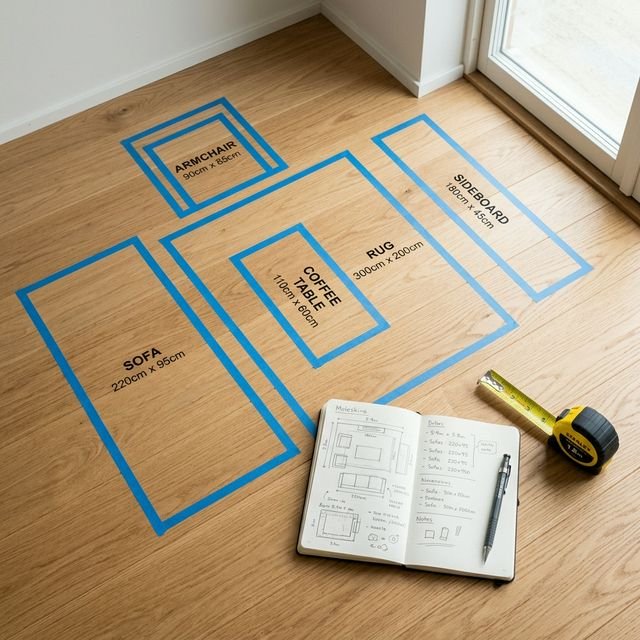
- When spatial accuracy is the question. If you need to know whether a piece physically fits (clearances, traffic paths, door swings) AI redesign tools will not help. Use a floor planner or painter's tape.
- When you have already found specific candidates. If you know you want a particular sofa from a particular retailer and need to see how it looks in your room, a product visualizer is what you need, not a style tool that will generate an imaginary version.
- When you need to evaluate material quality. AI cannot tell you how a fabric feels, how a timber finish wears, or how a leather ages. Request samples.
- When you are deciding on a final colour. AI-generated colour approximations are directional, not precise. Paint a test patch on your actual wall in your actual room before committing.
- When you need a person to coordinate the whole room. A human designer can weigh layout, existing furniture and budget together. See online interior design services compared for what they cost and deliver.
How to get real value from them
The most productive use of AI redesign tools is as a first step, not the only step.
- Use inspiration tools to choose a style direction. Run your room through a few style presets. Identify which aesthetic gets closest to what you want. Use that as a brief for shopping, not as a literal furniture plan.
- Use AI for colour direction, then test with a paint chip. If an AI-generated output shows your room looking significantly better with a warmer wall colour, that is worth investigating. Follow up with real paint samples in your actual room.
- Switch to a visualizer when you have real candidates. Once you have shortlisted specific products, switch from an inspiration tool to a product visualizer to confirm how each actually looks in your real space.
- Use a floor planner for spatial decisions. For layout and clearance questions, move away from photo-based AI tools and into a floor planning application where dimensions are based on your actual measurements. See the room-layout planning guide for the complete workflow.
The useful insight is not that AI tools are good or bad. It is that each tool is designed for a specific part of the design process, and using the right one at the right stage makes the whole process more productive.