
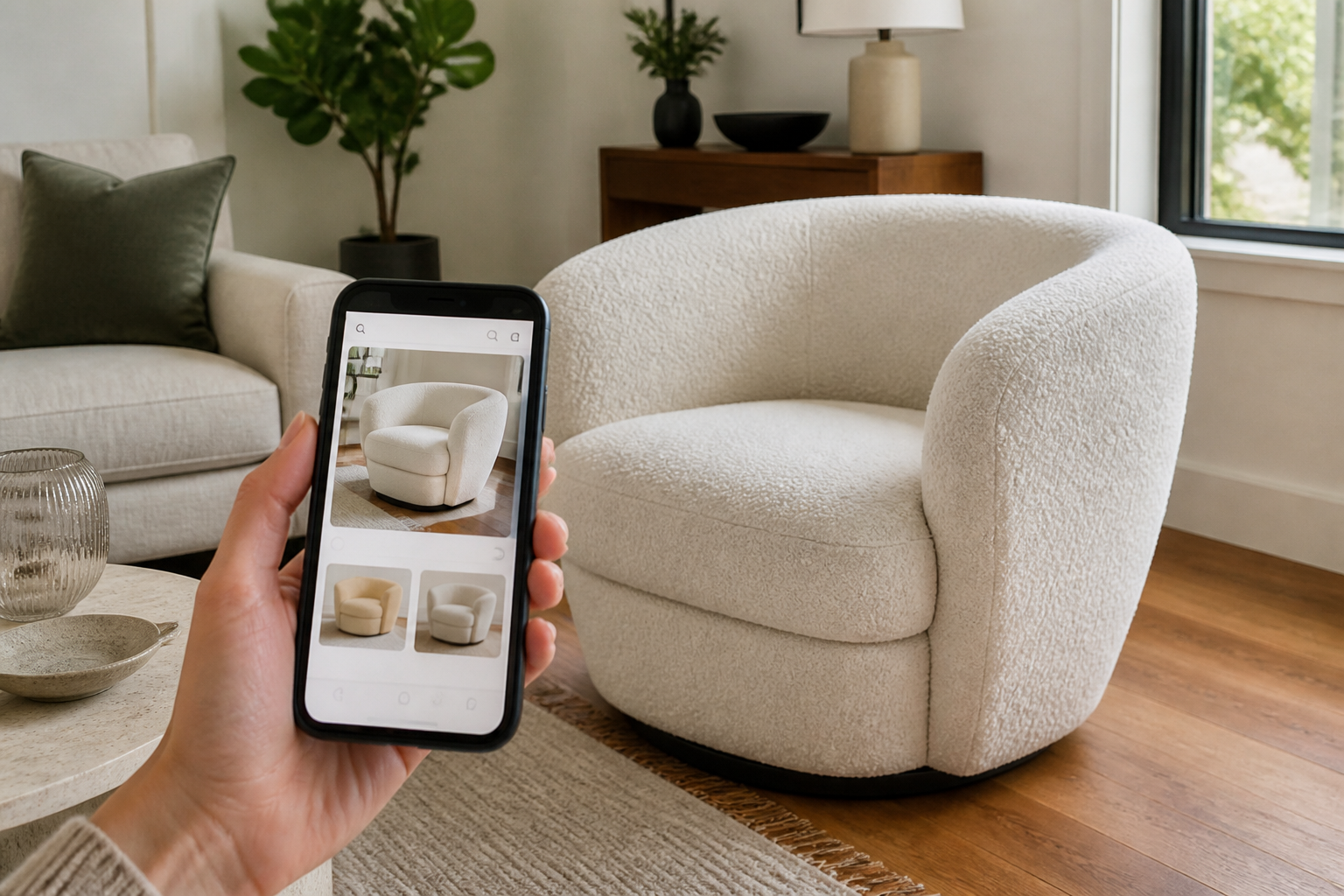
What “find furniture from a picture” means
People use that phrase for three different jobs. Mixing them up wastes time:
- Identify and buy the same piece, reverse image / visual search for an exact or near-exact product page.
- Find something that looks like it, style matching when the original is unknown, private-label, or discontinued.
- See a piece you already found in your own room, that is preview / placement, covered separately in guides like replace furniture in a picture and preview before ordering.
This page is about the first two: going from a photo to a product. Exact matches happen, especially for distinctive lighting, branded chairs, or widely sold sofas, but furniture is harder than sneakers or phones. Many pieces are unbranded, restyled yearly, or shot in styled rooms that confuse image search.
Expect this outcome more often than a perfect hit: a shortlist of similar silhouettes, materials, and price bands you can actually purchase.
Start with a better photo (this matters more than the app)
Visual search fails most often because of the input, not the algorithm. Before you open any tool:
- Crop tightly around the one item. A full living-room shot makes the model guess which object you care about.
- Prefer a clear, well-lit view of the whole piece, legs, arms, and silhouette visible. Detail crops of fabric alone rarely find the right sofa.
- Remove heavy filters when you can. Screenshots from Stories with stickers and text overlays hurt matching.
- Try a second angle if you have one. Front and three-quarter views often return different (and better) shopping results.
If the piece is in a busy room, crop so competing furniture is mostly out of frame. That single habit improves Google Lens and Pinterest results more than switching apps.
Method 1: Google Lens and Bing visual search
For most people, this is the right first move when you want to find furniture from a photo.
How to do it:
- On mobile, open the Google app → Lens (camera icon), or long-press an image in Chrome and choose search with Google / Lens.
- On desktop, go to Google Images → camera icon → upload the file, or right-click an online image → search image with Google.
- Drag the selection box so it covers only the furniture item.
- Review Visual matches and Shopping results. Open listings and compare legs, proportions, and materials, not just the thumbnail vibe.
What it does well: Broad web coverage, shopping links, and occasional exact product hits when the piece is widely listed.
Where it falls short: Soft, styled lifestyle photos; generic mid-century sofas; items that only exist in one region’s catalog; heavily cropped Instagram shots.
Bing’s visual search is worth a second pass when Google returns noise. Same idea: upload, crop, compare. Running both takes two minutes and often surfaces a retailer the other missed.
Method 2: Pinterest Lens and retailer image search
Pinterest is usually weaker for exact SKUs and stronger for “find furniture that looks like this picture.” Use it when Lens finds nothing buyable:
- Open Pinterest → camera / Lens.
- Upload or select the cropped furniture image.
- Follow pins that link out to product pages; treat the feed as a style cluster, not a receipt.
Retailer visual search (where available) helps once you suspect a store family, for example Amazon image search, eBay image search for vintage, or marketplace camera search in your region. These work best when you already narrowed the category (“bouclé armchair,” “oak dining table”) from Lens results.
Tip: if Pinterest only gives mood boards, copy three concrete descriptors from the best pin (e.g. “channel-tufted, low arms, black metal legs”) and search those words on major retailers. Visual search gets you the vocabulary; text search often closes the purchase.
Method 3: AI furniture finders and “similar item” tools
A growing set of apps and sites claim to find furniture by picture with AI. Some are visual search wrappers; others generate lookalikes or shoppable mood boards. Treat them as style assistants, not guaranteed product IDs. Our Onton review looks specifically at its whole-room, multi-object furniture search and how that workflow differs from Google Lens.
Use them when: you care about the look more than the exact brand, or Lens returned dead ends.
Be careful when: the tool invents a sofa that is not for sale, or links to “similar” items with different dimensions. Always open the retailer page and check width, depth, height, and return policy yourself. For why online photos still mislead on size even after you find a listing, read the scale problem.
AI is useful for expanding a shortlist. It is not a substitute for measuring your room.
Method 4: The manual detective workflow
When apps stall, common with custom, antique, or obscure pieces, slow down and extract searchable facts from the photo:
- Category and subtype, sofa vs loveseat vs sectional; Windsor vs wishbone chair.
- Silhouette, track arm, rolled arm, waterfall; pedestal table vs four legs.
- Materials and finishes, bouclé, velvet, cane, walnut, powder-coated metal.
- Era / style labels, mid-century, Japandi, farmhouse, Memphis, only if they fit; wrong labels poison search.
- Distinctive details, brass sabots, channel tufting, splayed legs, marble veining pattern.
Then search combinations like: bouclé armchair black metal legs or round oak dining table pedestal base. Add “dupe,” “inspired by,” or the designer name if you recognize one. Check secondhand markets for discontinued originals.
This method is slower and often more accurate than hoping one upload solves everything.
Which method to use when
| Method | Best for | Exact match chance | Cost |
|---|---|---|---|
| Google Lens / Bing visual | First pass; shopping links | Medium when the item is common online | Free |
| Pinterest Lens | Style-alike discovery | Low for exact SKUs; high for look | Free |
| Retailer image search | Known marketplace (Amazon, eBay, etc.) | Medium inside that catalog | Free |
| AI similar-item tools | Expanding a look when Lens fails | Low for exact; variable for similar | Free–paid |
| Manual descriptors + text search | Obscure, custom, or antique pieces | Depends on your research | Free (time) |
A reliable sequence: crop → Lens → Pinterest if needed → retailer search → manual keywords → shortlist.
After you find candidates
Finding a product page is not the same as knowing it will work in your home. Before you buy:
- Read dimensions, especially depth for sofas and chairs. Photos hide bulk.
- Check delivery and returns, large-item restocking fees are common.
- Collect the candidates on one board with their prices and dimensions, so you can judge them together; our mood board apps comparison covers the free options.
- Compare two or three finalists side by side using the same criteria (size, fabric, price). See how to compare furniture options before buying.
- Preview in your room if you can, once you have a real listing photo, placing that product into a photo of your space answers color and style fit better than imagination. That is a different job from finding the item; start with preview furniture before ordering online if you are at that stage.
Bottom line: use visual search to get to buyable options fast, use judgment and measurements to finish the decision. “Find furniture from a picture” is a research skill, not a one-tap guarantee.