
Quick verdict
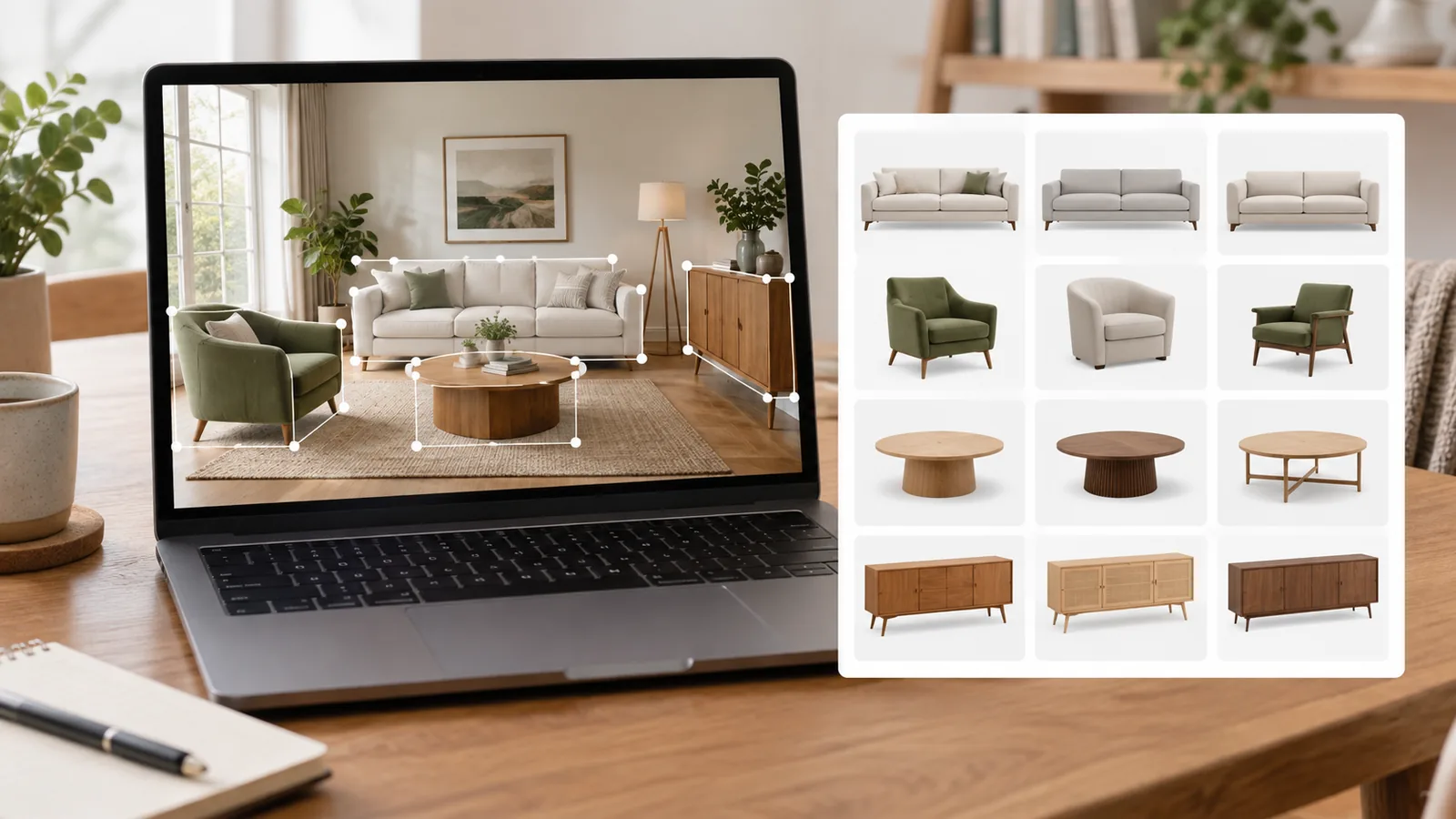
Onton has a clear purpose: turn an inspiration photo into a set of furniture-search starting points. Its most interesting feature is not generic image recognition. It is the interface around it. Onton says it detects multiple items in a room, lets you choose the one you mean, and searches a furniture-focused product index.
That makes it worth trying when you want the chair, lamp, table, and sofa from the same photo. Google Lens remains the broader visual-search option, particularly when the image may contain something other than furniture. Without a controlled same-photo test, we would not call either one more accurate.
How this review was checked
This is a source-verified assessment. In September 2026 we checked Onton's furniture-from-a-photo page, its AI furniture shopping overview, recent product updates, and published FAQ. We compared the workflow with Google's official instructions for searching with an image in Google Lens.
We did not run a repeatable set of room photos through both products, verify match identity against known furniture, or score result quality. Company-reported catalogue and retailer figures below are labelled as such.
How Onton's furniture search works
- Upload an inspiration image. Onton says the image can be a screenshot, listing photo, saved social image, or photo you took.
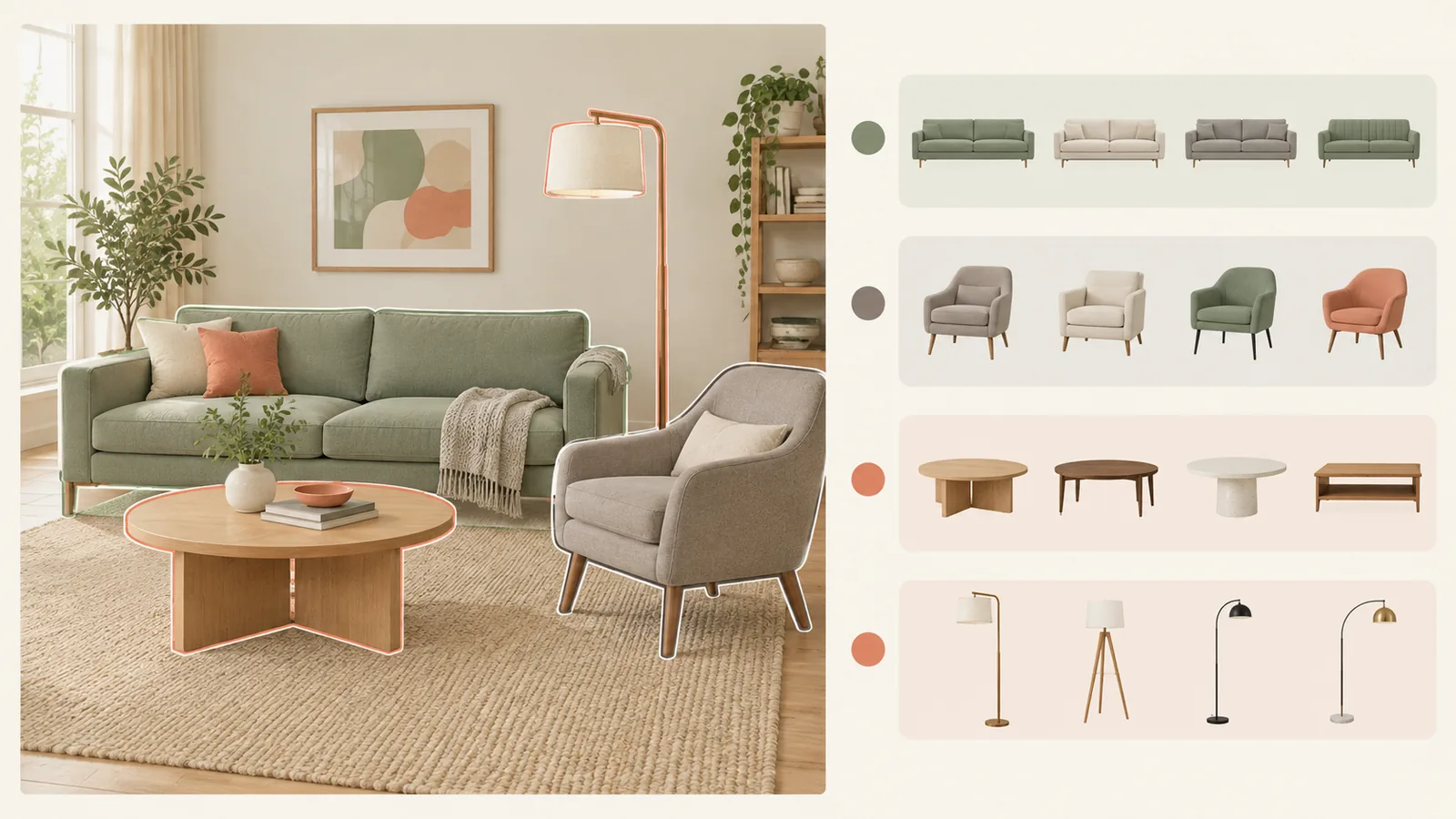
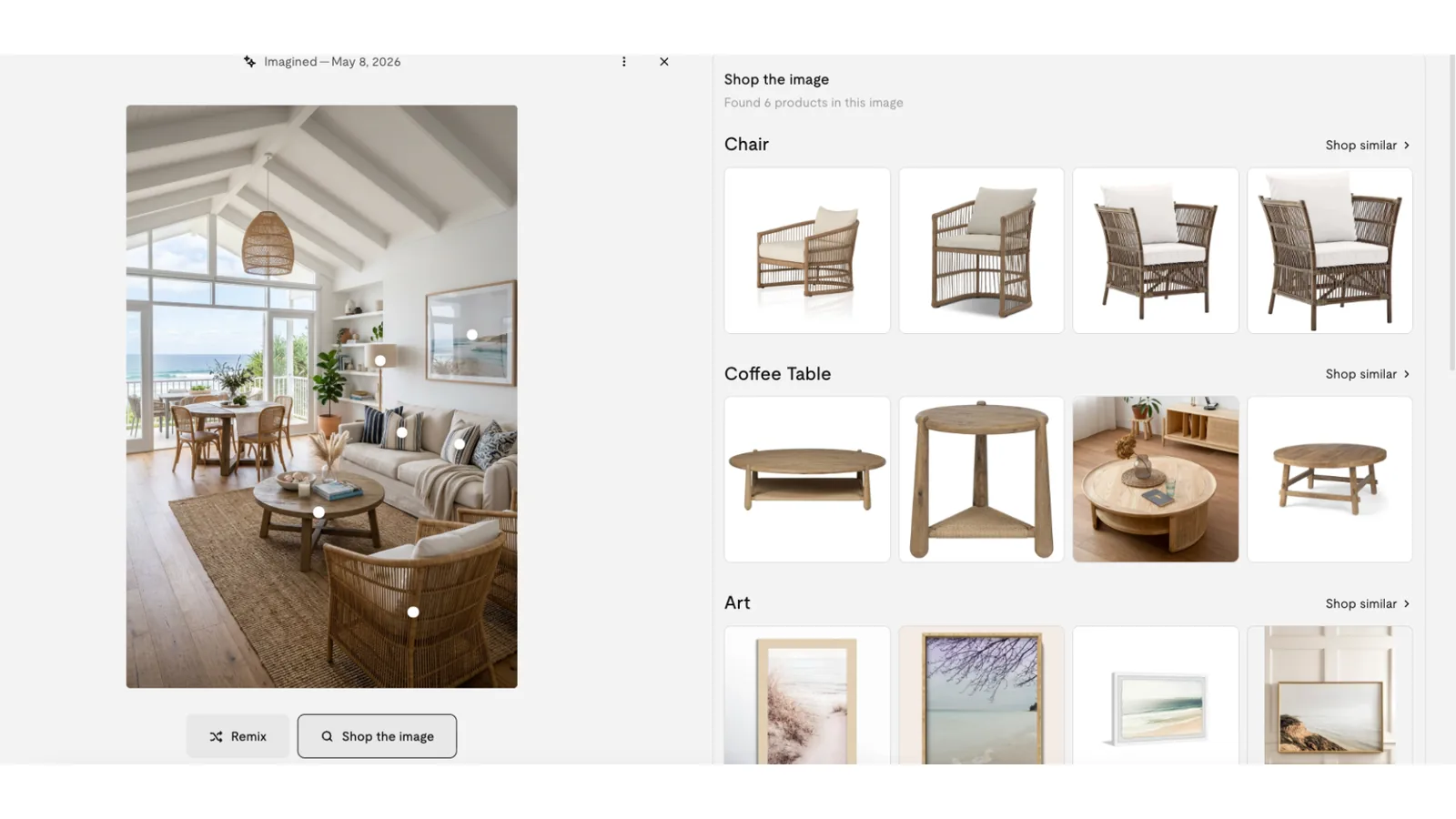
- Select a detected object. The service identifies furniture and decor within the scene so you can specify which piece you want.
- Review visually similar products. Results link to retailer listings and can be narrowed with shopping filters.
- Repeat for another object. Return to the same room image and choose the next piece.
Onton says its index contains more than 3 million products from over 200 verified retailers, and that results are ranked by visual similarity rather than paid placement. Those are Onton's own claims, not figures independently audited by Interior Index.
Onton vs Google Lens
| Difference | Onton | Google Lens |
|---|---|---|
| Scope | Furniture and home decor shopping | General visual search across many object types |
| Whole-room workflow | Designed to detect and select multiple furnishings | You can select or crop the part of an image you want to search |
| Results described by provider | Visually similar products from its retailer index | Objects, similar images, and websites containing the image or a similar image |
| Text refinement | Furniture-oriented filters and search controls | Google documents adding text to an image query |
| Best reason to try it | You want to shop several objects from one styled room | You want a broad search or the object may not be furniture |
| What this review cannot establish | Which finds the original product or closest match more often | |
The meaningful distinction is workflow, not a claimed winner. Onton narrows the problem to furniture shopping. Lens offers a wider search surface. Run both when the piece matters or the first results are weak.
What looks useful
It starts from the photo people actually save
An inspiration image is often a full room, not a clean catalogue cutout. Object selection reduces the friction between "I like that chair" and a usable search.
It keeps several searches attached to one room
When more than one object is interesting, repeatedly cropping and exporting the same image becomes tedious. A multi-object interface is a practical improvement for this task.
It is built around shopping intent
A broad image search may return editorial pages, reposted images, or visually related photographs. A furniture-specific product index can move a shopper toward price, retailer, and availability sooner.
Onton says it is free and needs no account
The furniture-finder page states that the search can be used free without creating an account. Confirm that when you visit, because access rules can change.
Limits and open questions
- A lookalike is not an identification. Similar silhouette, colour, or upholstery does not establish the original maker or model.
- Hidden construction is invisible. A photo cannot tell you whether a frame is solid wood, veneer, plywood, or particleboard, or how a cushion is built.
- Dimensions still need checking. Perspective can make two differently sized pieces look alike. Open the retailer page and verify every measurement.
- Coverage shapes the answer. Any shopping index can only return products it knows about. A missing retailer or discontinued item may never appear.
- Accuracy needs a benchmark. A responsible Onton-versus-Lens claim would require known source products, the same crops, repeated searches, and a defined scoring system.
Privacy and room-photo uploads
A room photo can reveal faces, family pictures, paperwork, screens, valuables, and clues to an address. Crop or blur these details before uploading to any visual-search service.
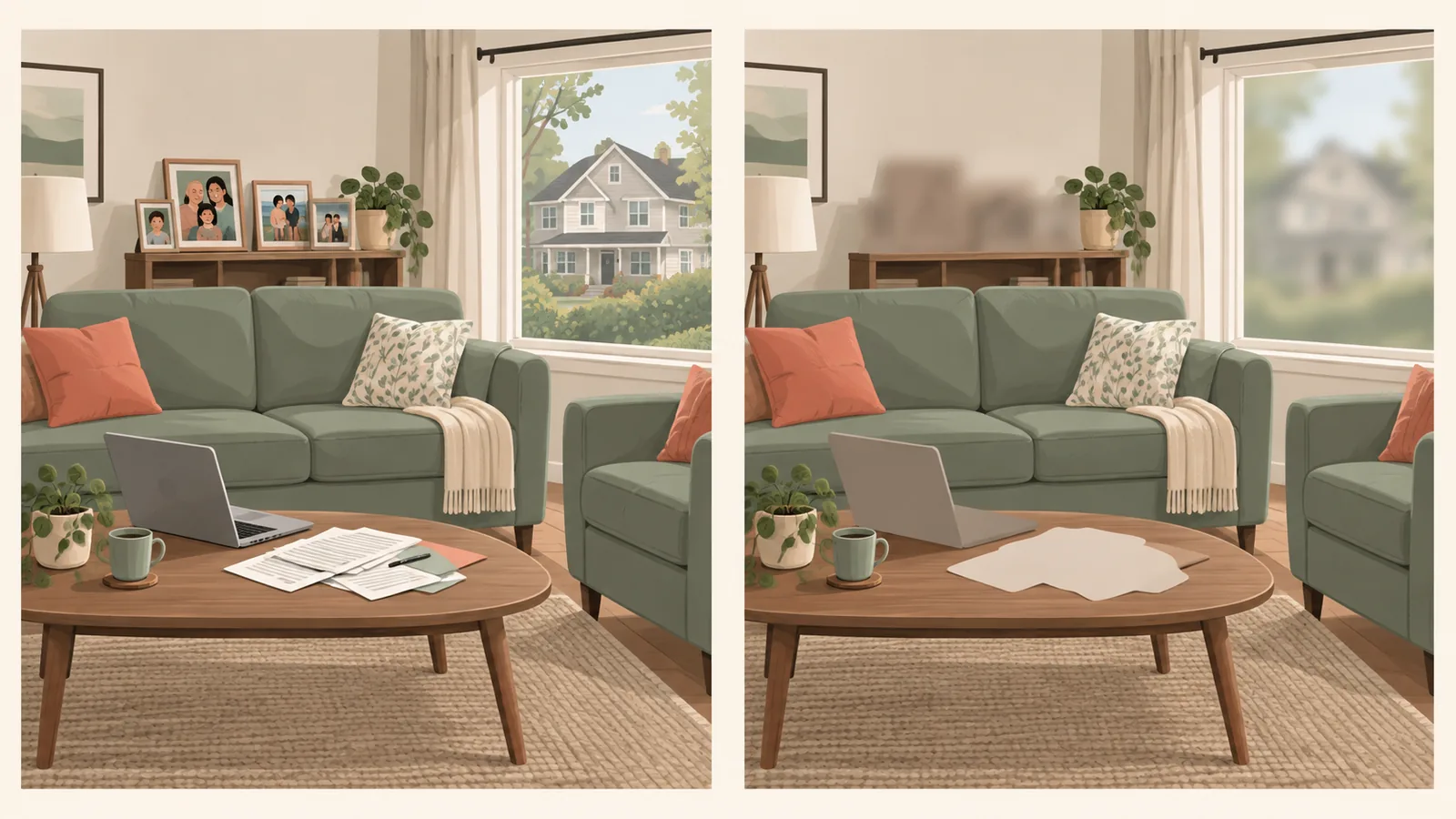
Onton's published FAQ says uploaded images used for rendering are deleted immediately after rendering, while generated designs may have different retention periods depending on the plan. Because that wording appears within broader product documentation and may not describe every search workflow, check the current privacy policy and the exact feature terms before uploading a sensitive interior photo.
Who should use Onton?
Try Onton if...
- You saved a complete room and want several of its pieces.
- You want shopping results rather than general image matches.
- You are comfortable treating results as lookalikes to investigate.
Start elsewhere if...
- You need to authenticate an exact designer piece.
- You already have a clean, isolated product image and want the broadest possible web search.
- You need verified dimensions, materials, or condition from the photo alone.
Bottom line
Onton's whole-room, multi-object workflow solves a real annoyance in furniture discovery. Use it to turn an inspiration photo into a shortlist, not to treat visual resemblance as proof. For an important purchase, run a second image search, read the retailer specifications, compare dimensions, and inspect return terms before buying.
Editorial rating: 3.5 / 5. The workflow is genuinely better suited to inspiration photos than a general image search, and the free, no-account access lowers the cost of trying it. The rating reflects documented capability and workflow only. We have not run a controlled accuracy test against Google Lens, and match quality is the thing that would move this score in either direction.
For a broader process, read how to find furniture from a picture. If the original item is outside your budget, our guide to finding furniture lookalikes explains what to compare beyond appearance.